Would you like a drainer served at the very top of DuckDuckGo?

Probably no, right?
That would be very dangerous, especially if the phishing website serving it is an exact copy of the thing you was looking for.
Well that's what happened to me!
TL;DR
I found a fake tronscan blockchain explorer duplicate on the #1 position in the search results. The site prompts the user to connect their wallet, impersonating as an AML / security tool.
A couple insights from digging into it:
- Attackers abuse SEO in Bing and consequently DuckDuckGo to bring their fake impersonating sites to the top 3 of the search results.
I found a couple more examples and collected malware samples and IOCs from them as well. - All of the sites in the results are just gateways that perform a fast and silent redirect to a rotating phishing site - if it gets banned, another comes in place, and survives until you ban the gateway domain.
The one I found initially is now fully banned. - The drainer inside scanned victim's wallet after connection and created tx requests for the user to sign: approve an unlimited amount of any TRC-20 token for an attacker-controlled address to drain it later, and if you have enough TRX - also ClaimRewards() on the given smart contracts to lose all of your TRX as well.
- Checking the hardcoded addresses with 2 different KYT/AML screening tools has shown little to none risk scores for both of the wallets that received the approvals from victims + deployed the TRX-draining contracts.
If the attacker wants (or wanted to) launder and off-ramp the stolen funds they will probably have no problem doing that using a big licensed exchange, unless their specific AML tool does react to the factors I describe later.
Backstory
As always, this scam investigation is the result of an accident - which is great because I don't have to look for the new themes and things to research.
One Friday evening I'm sitting at my desk trying to finish the last tiny task that's left in my todo list for the week: test the chain-agnostic address spellchecker in one of the things I was working on at the time.
"It's Tron time", I open DuckDuckGo and type in Tronscan.
I use the search because I don't remember the domain on that - is it .io? .org? Idk.
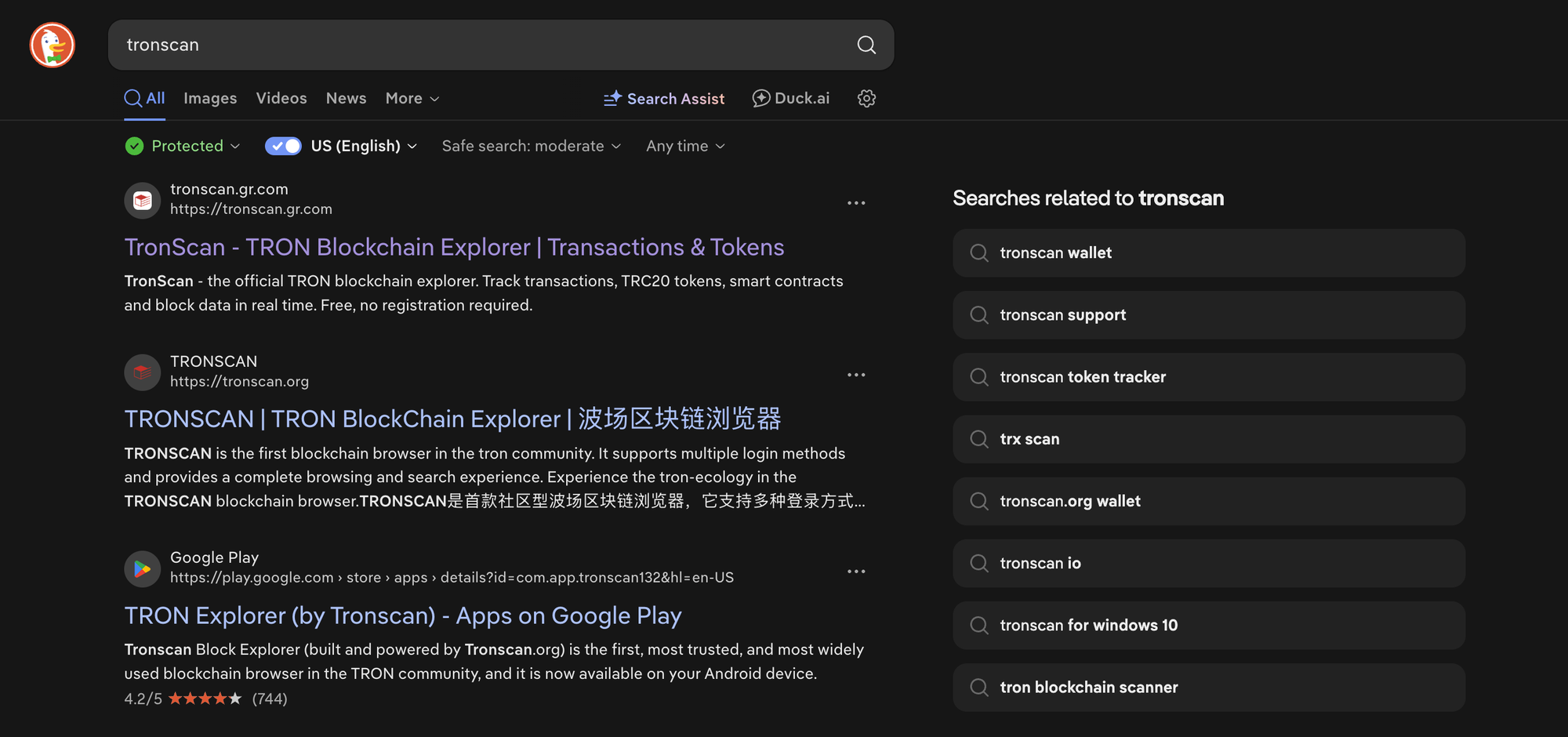
Anyway, on full auto-pilot I click the first result that looks like Tronscan based on its title, description, favicon and so on... and end up here:
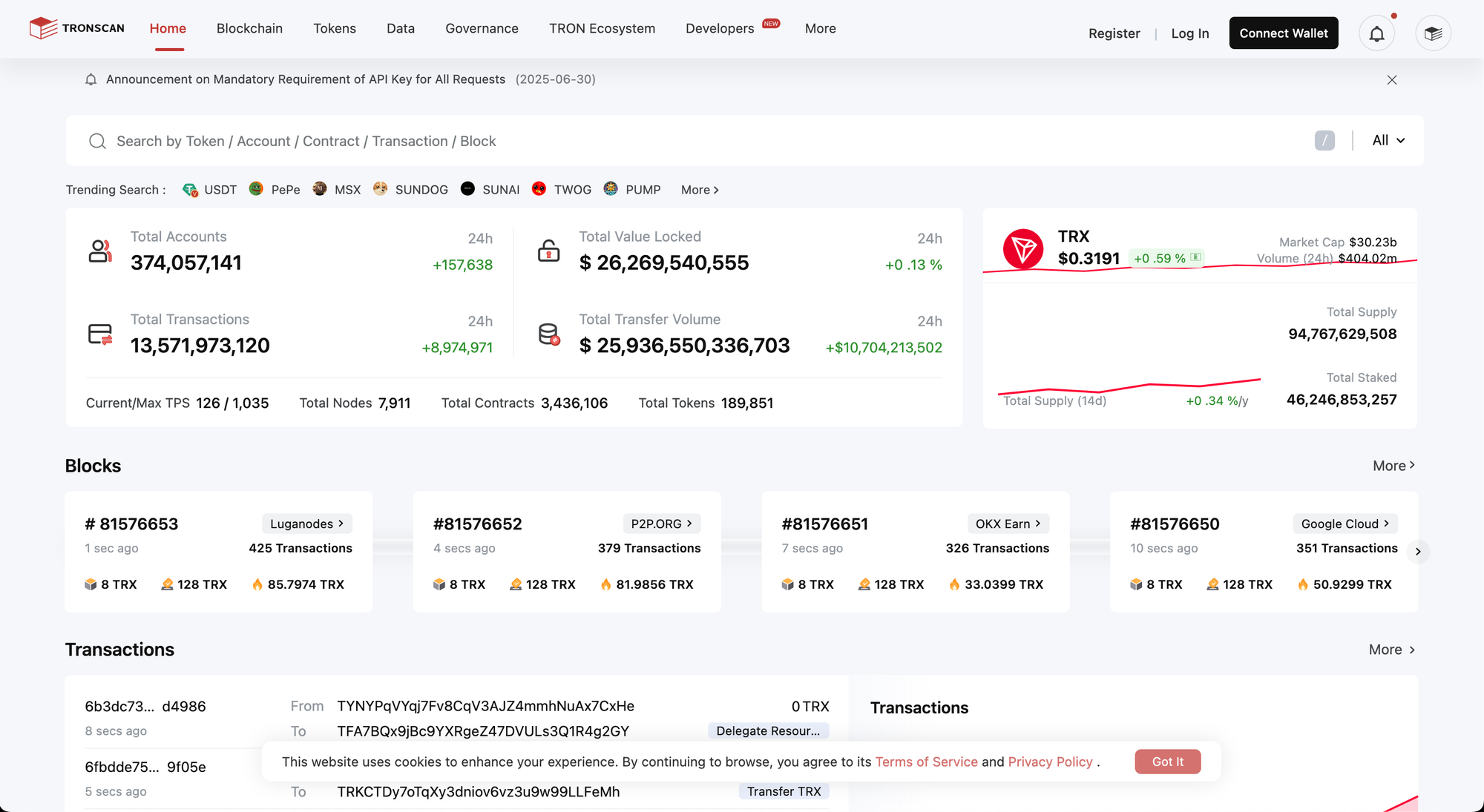
Which is the exact thing I expect to see - https://tronscan.org/ literally looks the same.
So I click the search field and to my complete surprise this wallet connect thing pops up. I still believe that I'm on the right website so I double-check if I misclicked and pressed some button - no, same result again.
In fact, as I realise in a few seconds, pressing anything on that entire page opens this popup.
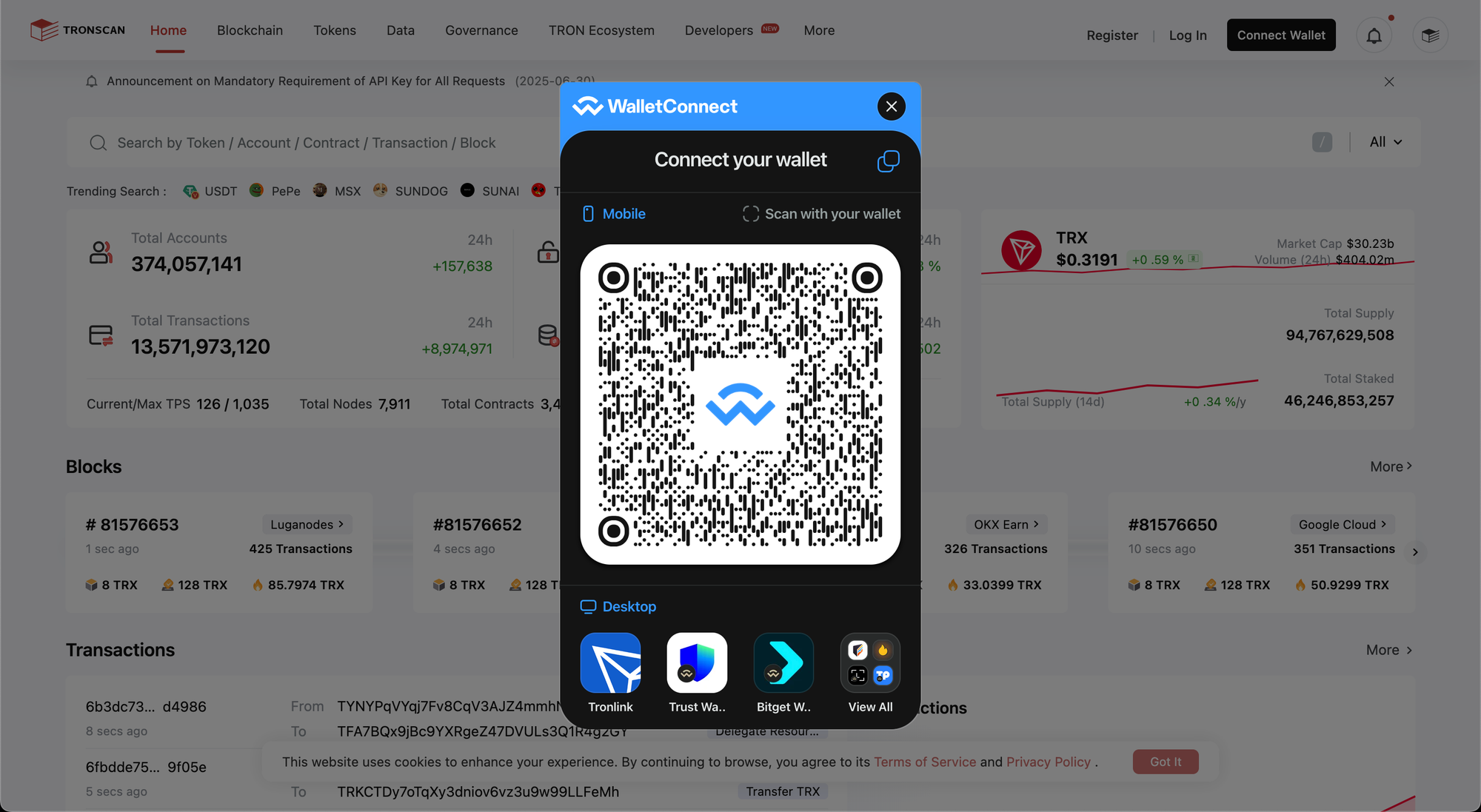
This is when I get suspicious - why would a blockchain explorer ask me to connect my wallet to perform any basic action?
And then I look at the domain name and it all becomes clear:
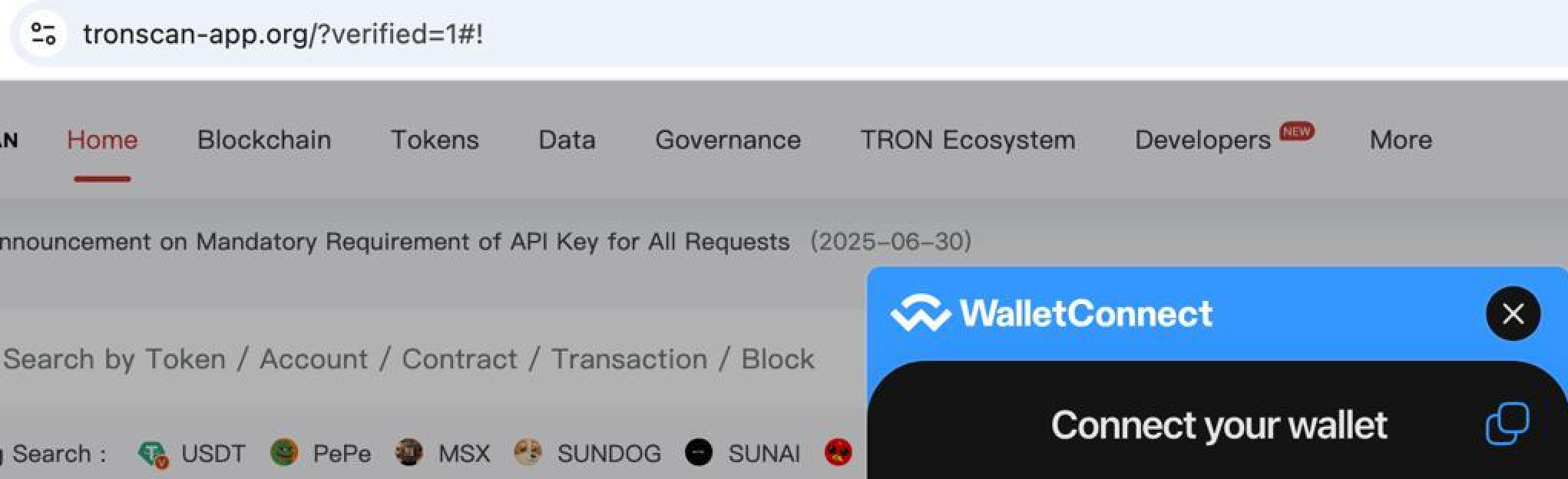
What are you, tronscan-app[.]org?
I open the Dev Tools, dump all of the scripts that the site loaded, quickly look inside to make sure that there's some sort of malware inside, and there it is - web3-loader.js.
There will be a whole big section below dedicated to it's analysis.
I save the file contents to study it later, report the link to SEAL Phishing Bot, make sure to check that in 15 minutes or so tronscan-app[.]org is down and proceed with my Friday evening plans.
The Search Engine Optimisation
Can you imagine my surprise when the next afternoon I come back to DuckDuckGo once again, now from a different device, to see if the OG Tronscan site is at the top now, and see this:
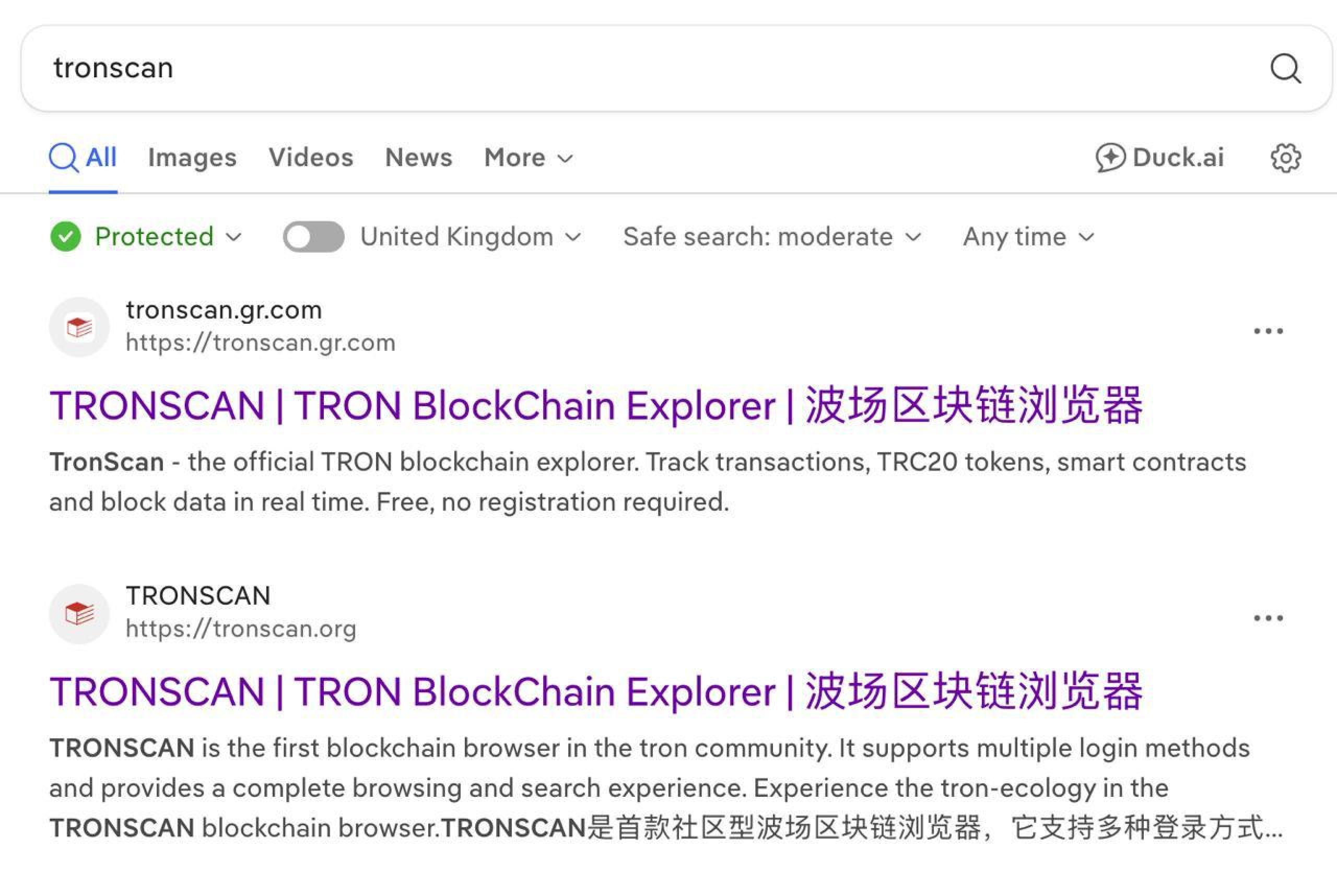
I can't believe my eyes - #1 result of the search again!
Higher than the actual Tronscan, and this is not even an ad - it's an "organic" best result for my query.
I click on the link expecting to see a 404 error or something, but all of a sudden in less then a second I'm on the different copycat of tronscan, this time tr0nscan.com - as if I just clicked the different link.
So these guys replaced the blocked lure overnight.
"Trivial", I think. Must be a simple redirect that's surprisingly quick, so quick that I don't even notice the change in the address bar.
I open the dev tools in my browser, go to the network tab and start the recording from the DuckDuckGo click... to see absolutely nothing.
It's just some DuckDuckGo requests, then pause... and the requests to the tr0nscan host. How did I get here?
After some experiments I come across the notion of this file - https://tronscan.gr.com/checking.php
Which seems to do the whole magic redirection:
302 https://tronscan.gr.com/
 -> https://tronscan.gr.com/checking.php?t={smth}
200 https://tronscan.gr.com/checking.php?t={smth}
200 https://tr0nscan.com/?verified=1
So the tronscan.gr.com redirects server-side to checking.php with a cookie-looking token t parameter. That page returns 200 and then client-side redirects or navigates the browser to tr0nscan.org/?verified=1, where that popup loads.
Dev tools are unable to show me the contents of this checking.php so I spend another 20 or so minutes with mitmproxy and finally get the full content of it - can you guess what I find there?
 <!DOCTYPE html>
<html>
<head>
    <meta charset="utf-8">
    <title>Redirecting...</title>
    <script>
        // Убираем токен из адресной строки (чтобы не светился)

        // -> removing the token from the search bar so it doesn’t show.
        history.replaceState(null, null, location.pathname);
    </script>
</head>
<body>

<!-- САМАЯ ГЛАВНАЯ ФИШКА — НАСТОЯЩИЙ POST ОТ БРАУЗЕРА ЮЗЕРА -->

<!-- -> main feature - real post made from user browser -->
<form id="verify-form" method="GET" action="https://tr0nscan.com" style="display:none;">
    <input type="hidden" name="verified" value="1">
    <!-- Можно добавить ещё параметры, если нужно -->
    <!-- <input type="hidden" name="ip" value="162.158.122.185"> -->

    <!-- this is not important so no translation -->
</form>

<script>
// Автоматический сабмит формы через 100 мс (чтобы юзер ничего не заметил)

// -> Auto-submit form in 100ms (so the user doesn’t notice)
setTimeout(function() {
    document.getElementById('verify-form').submit();
}, 100);
</script>
<div style="text-align:center; padding:50px; font-family:Arial;">
    <img src="https://upload.wikimedia.org/wikipedia/commons/b/b1/Loading_icon.gif" alt="loading">
</div>

</body>
</html>
Who would've thought - comments in Russian! I added the translations below for you.
And there we are - the secret sauce redirect that went unnoticed is just a client side form auto-submit + some masquerading in the address bar.
I wonder if the TAs are actually Russian-speaking or just found this simple .php file on some forum.
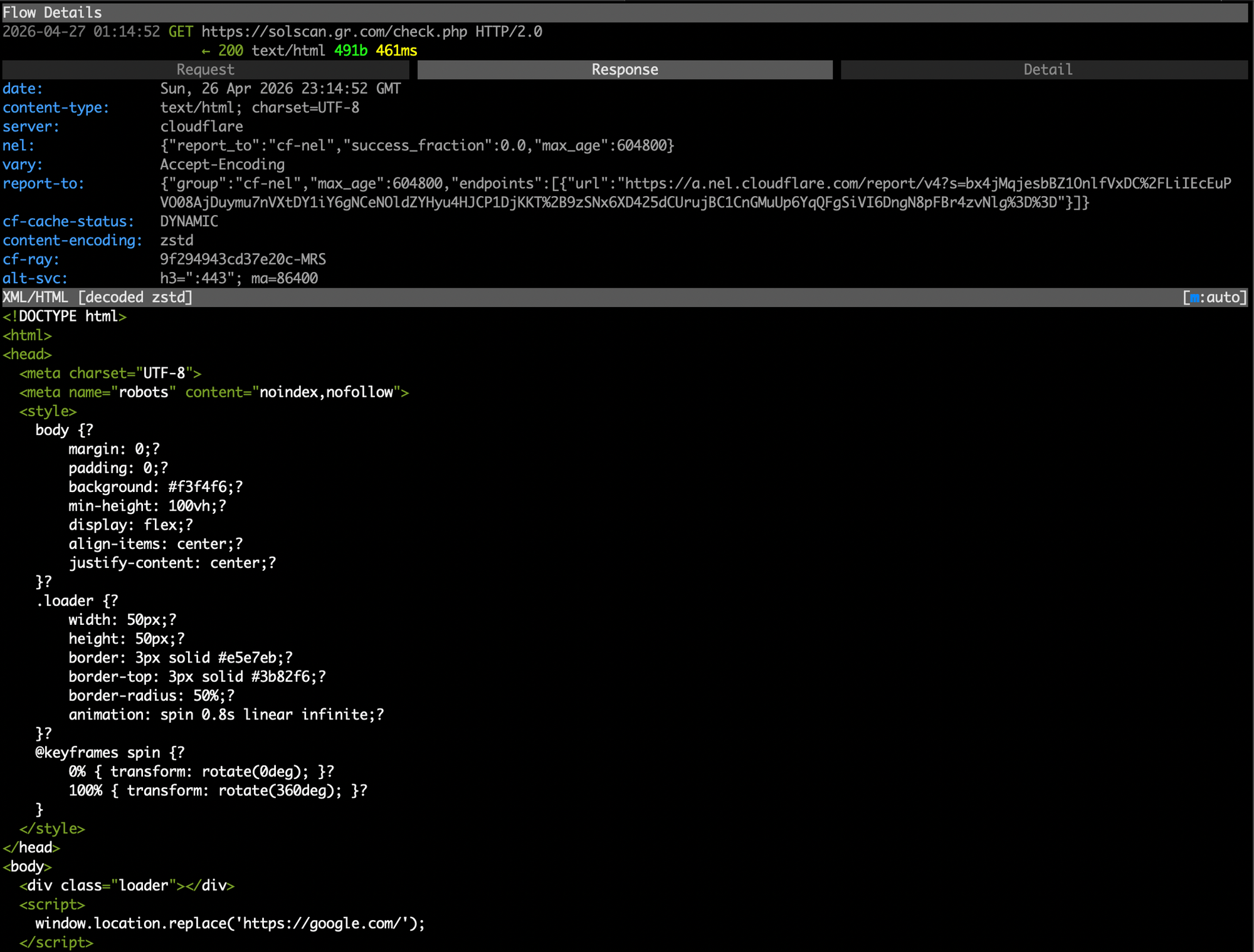
What's interesting (though not rare these days) is that after a couple dozens of clicks, redirects, curl's and other actions from my side the starting page tronscan.gr.com started redirecting me to the legit Tronscan - meaning that that t={smth} token is used on the backend to choose the correct <form action="{url}> for a specific user.
This is a common cloaking technique that tries to complicate any kind of aggressive digging by shortening the opportunity window for the curious one and making the chain of redirects less reproducible by others or the same researcher on another day.
There must be others, right?
Right after I calm myself down a bit after this drill into the magic redirect I decide to look for the others - if there's a #1 ranking phishing site in the DuckDuckGo search results for "tronscan", maybe there are similar ones for some other keyword?
Yes, and a lot of them
I don't want to dive into too much details on these other ones or else I risk turning this long enough post into an unacceptably long one, so here's just a couple other examples I've found simply by remembering different web3 products / tools and typing their names into DuckDuckGo:
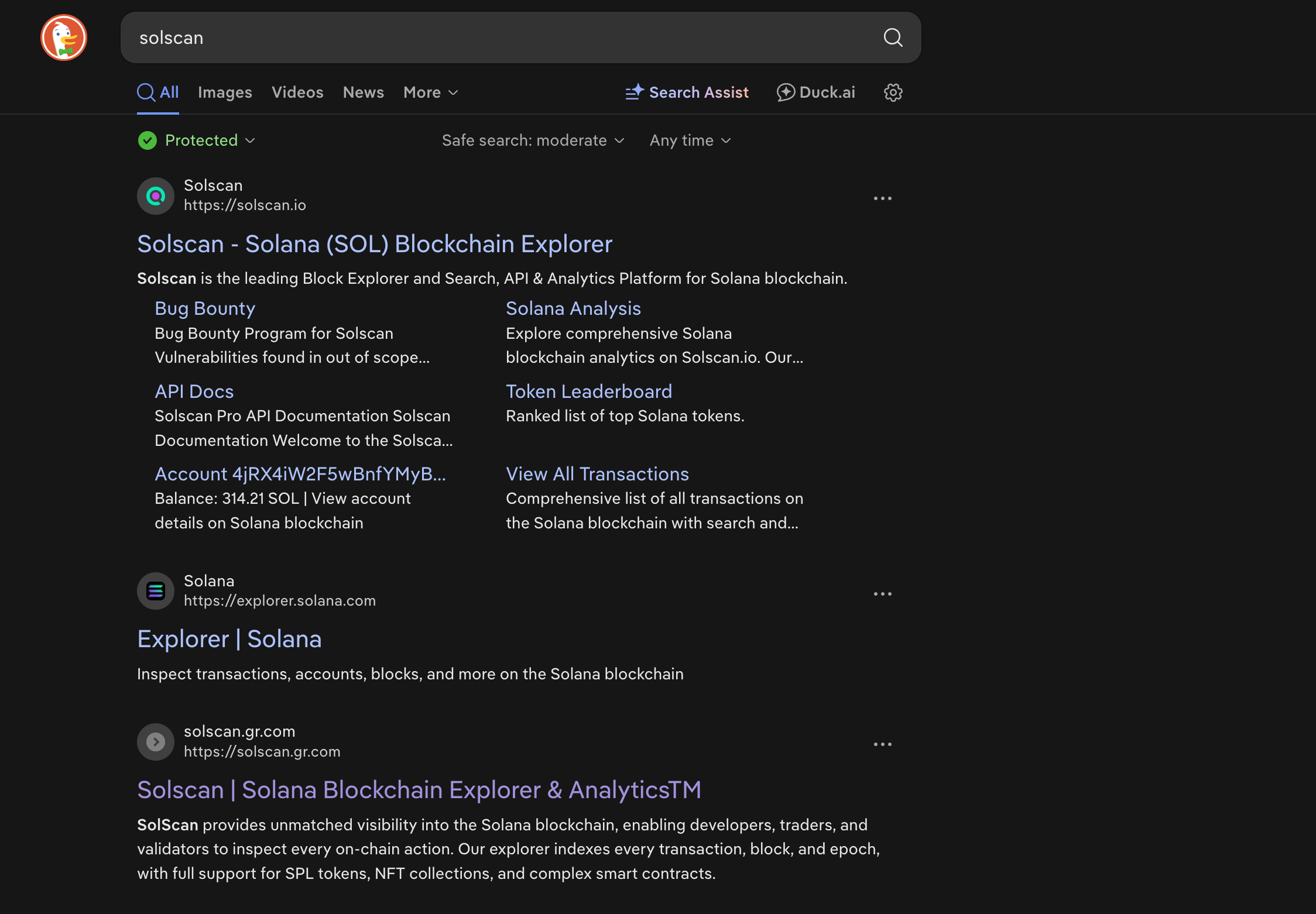
#3 result for solscan is the same *.gr.com domain we've seen with the original tronscan site. Interestingly enough, since the root-level domain gr.com has already flagged me as a sniffery sniffer who shall not pass to the phishy lure, this solscan one immediately redirected me to google.com.
Then there is Phantom wallet with the same *.gr.com site at the #2 rank in the search results:
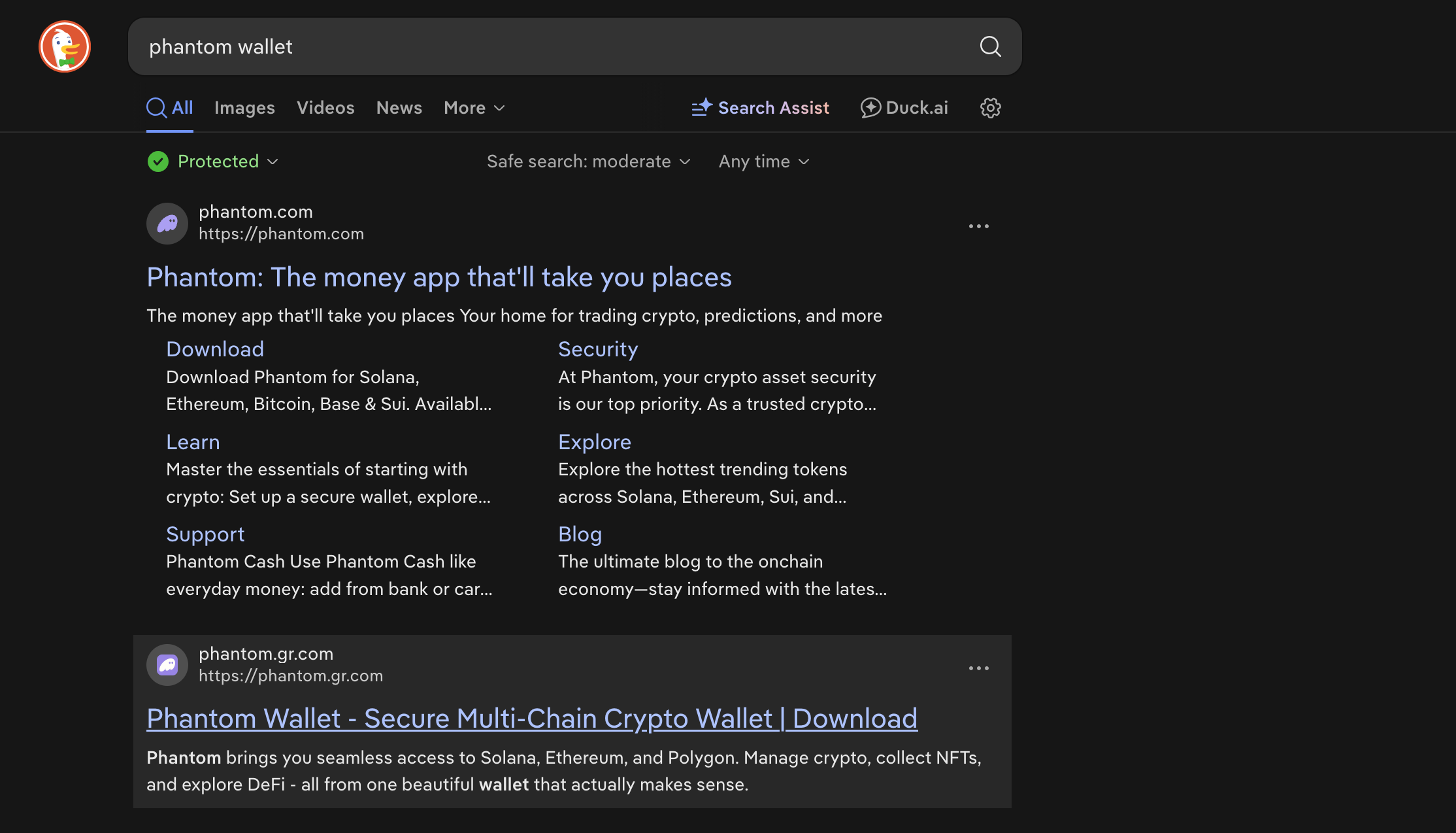
It's actually a very good-looking one, but with the a simpler seed phrase catcher instead of a normal drainer - idk if these really score these days (they probably do).
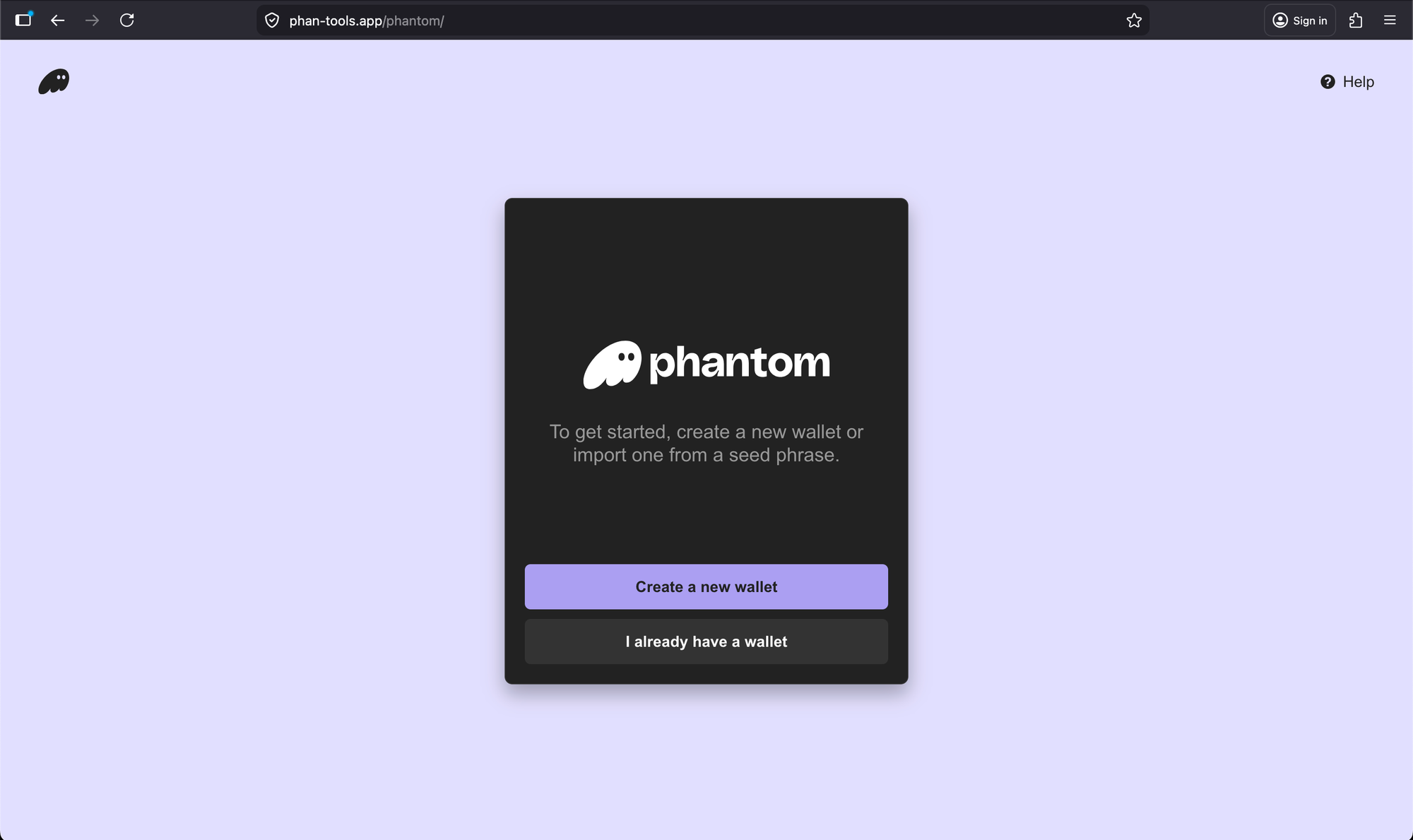
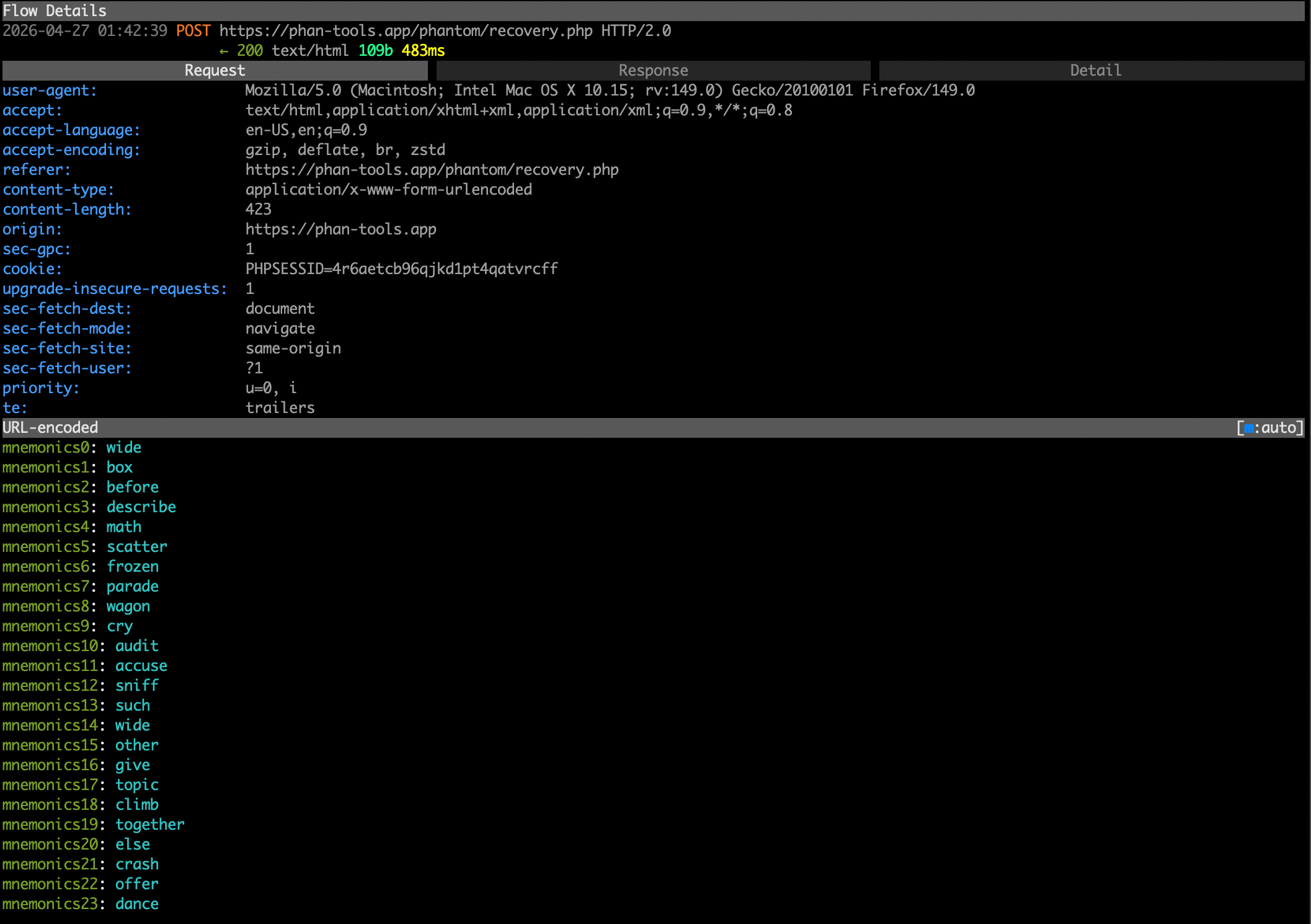
Then I found a similar seed phrase catcher at the #3 result for "etherscan":
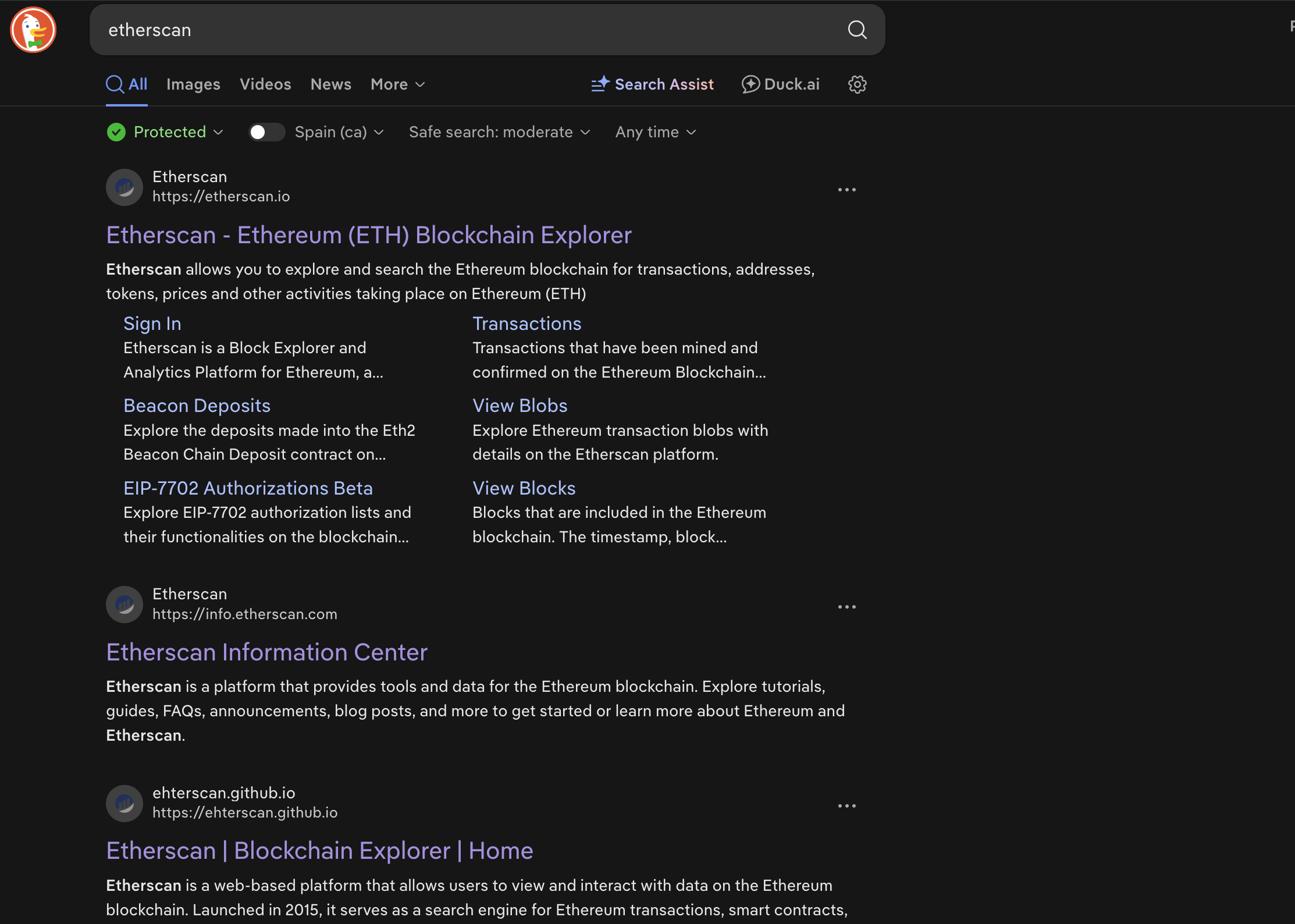
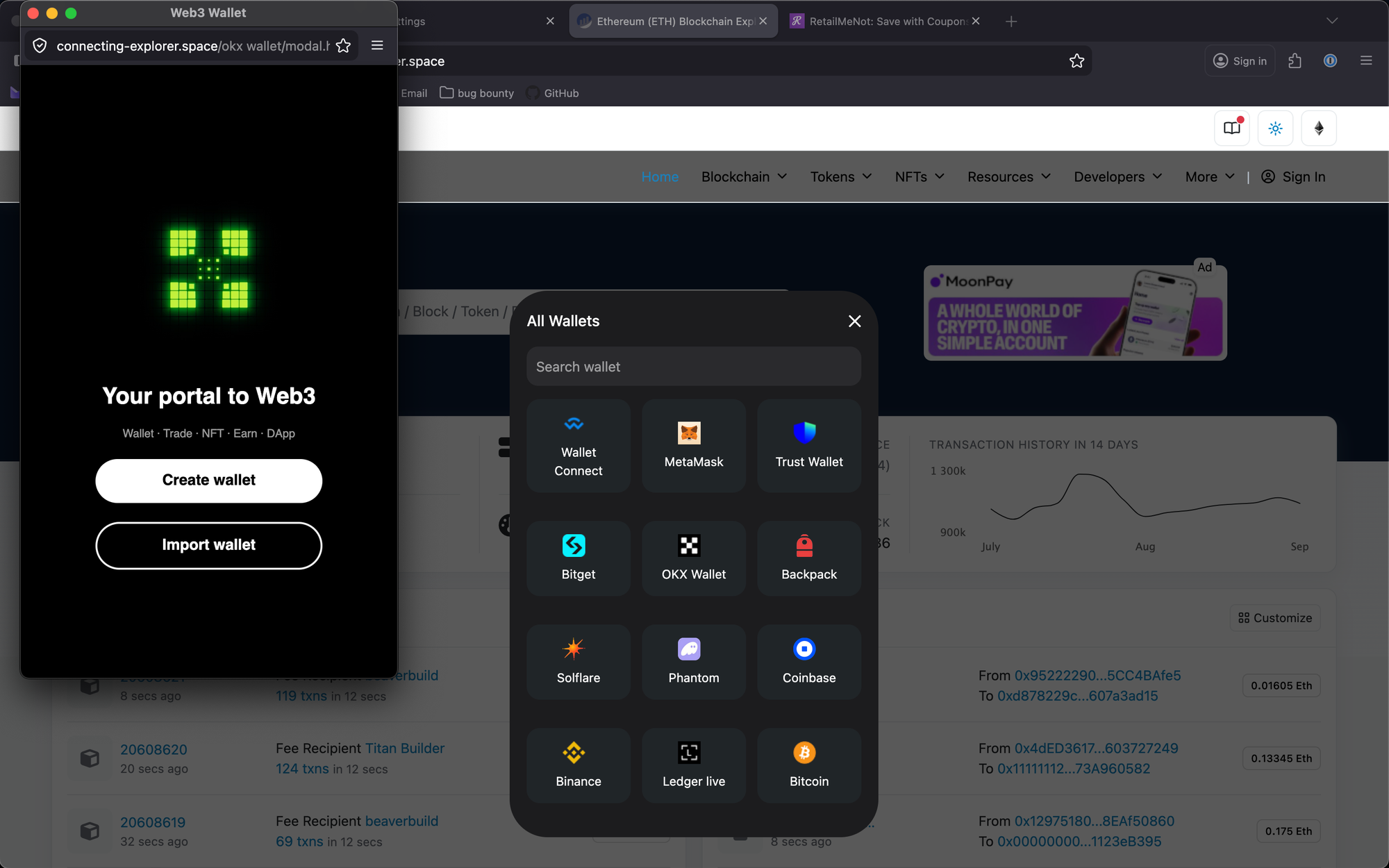
Notice that the point of entry site etherscan.github.io abuses Github Pages for essentially free hosting of these redirect scripts, while the resulting actual phishing page is a generic domain with no mention of etherscan.
The Github Pages issue, same as with Cloudflare Workers / Pages and others, is a very serious one: these gateway websites are quite hard to detect, since the redirect only actually happens when a real (or at least a tuned headless) browser visits the page.
For any simpler crawler trying to figure out whether this website leads to something malicious or not, no redirect will actually happen.
This makes the deployed website look harmless (or just broken) for the provider, so until they get manually reported by victims or people like me they can exist for a very long time.
Not only that, but since github.io is a very well-known, good reputation domain in general, search engines prioritise them over, for example, a fresh domain with 0 backlinks - making it an easier task for the creator to rank as high as possible using some mysterious SEO techniques.
Short and confused conclusion for the SEO section
I could list some more examples, but I think that's enough to showcase that there is a #1-3 scoring phishing site for almost every search query associated with popular web3 products.
Before I move on to the actual drainer analysis, here are some general observations I made about this organic search traffic source for the stealers and drainers:
- Every single one of these phishing sites uses a conditional gateway site that does the redirect and nothing else, which makes banning the gateway one harder (no signs of malicious content if analysed using simple crawlers / plain http requests), and swapping the destination ones easy - a non-stop, block-resistant phishing experience.
- Apart from serverless platforms like Github pages, many scammers rely on website builders like Wix, Tilda, Webflow and so on - those also provide a good-scoring root domain + free or super cheap hosting.
- Abusing DuckDuckGo search results (which is mostly Bing, at least for the top results) seems to be way easier than Google - probably due to less traffic == less competition for the top positions, weaker moderation (this is a guess, I can't prove it) and at the same time - much less attention from the team behind the product.
How many times have you heard some SEO guy or a founder trying to figure the organic things themselves comment on anything but Google?
Like "Look, we've got a 10% growth on Bing this month!" - that doesn't really happen.
At the same time, DuckDuckGo is allegedly gaining more traction after the AI-bullish updates of google search that everyone hates. - Finally, I am disappointed with how little I know about how this dark SEO stuff works - not that I didn't look, but probably not deep enough.
This is definitely on my to-do list for the further research.
If you know something about it - please reach out to me at [email protected].
All right, it's time to finally take a closer look at the original drainer from tronscan impersonator lure!
The drainer that was promised in the title
Let's start with the walkthrough of the user flow - how exactly does someone get lured into losing all their money.
What does losing money look like
As you remember, it all starts with a WalletConnect popup that prompts you to ... connect your wallet.
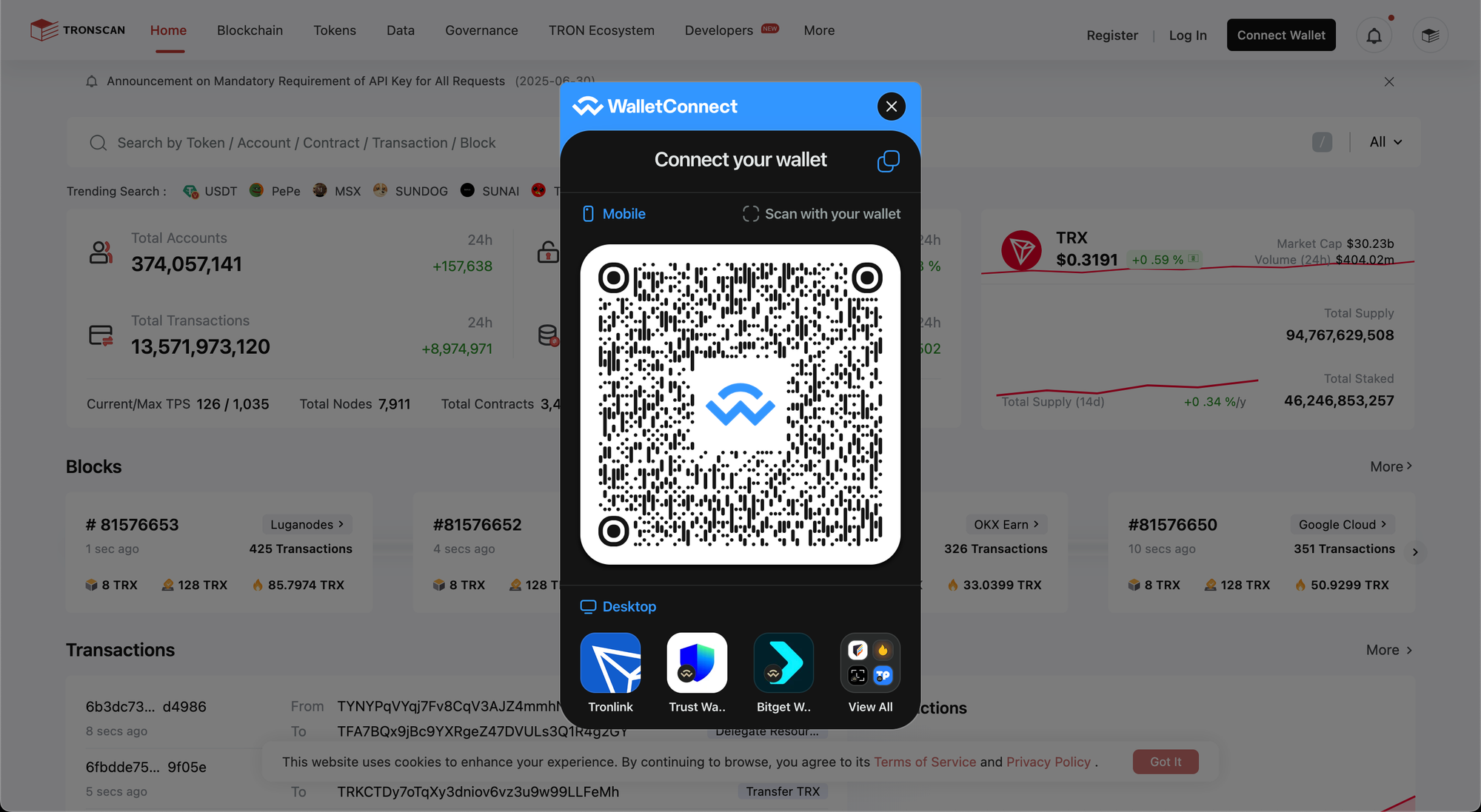
If you're a brave traveller like me, you would connect your wallet and see this:
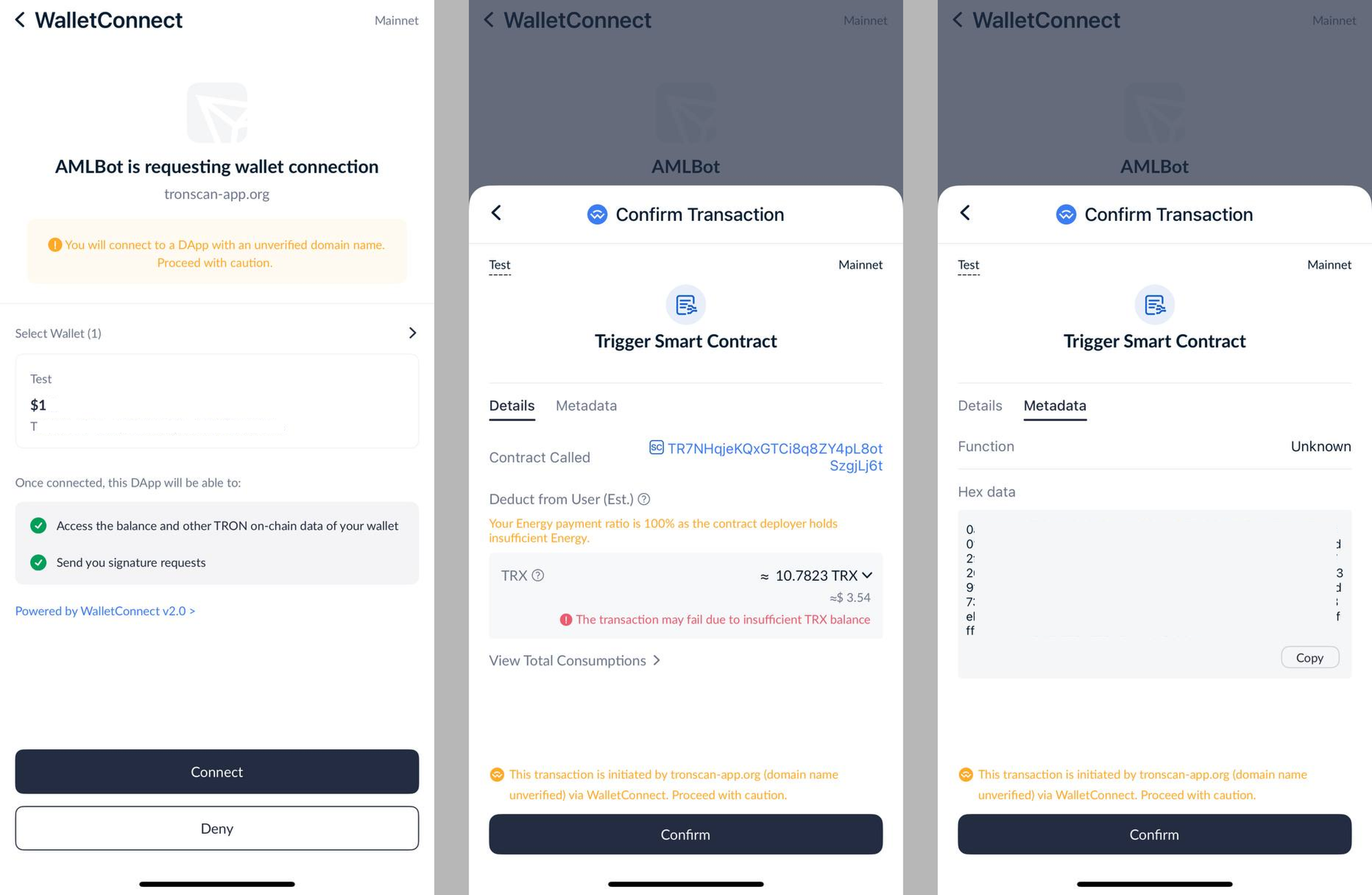
First, the app tries to mimic AMLBot - a popular (I guess?) AML / KYT software that should probable lure the user into connecting for some compliance reason.
TronLink actually shows a tiny yellow warning for this - which imo should be red and giant when unverified questionable apps try to use a legit service name as their own.
If you do find this believable, you're then prompted to sign a transaction that looks like this when you decode the hex-encoded protobuf transaction metadata:
Contract call:
  type: TriggerSmartContract
Owner:
  my wallet address
Token contract:
  TR7NHqjeKQxGTCi8q8ZY4pL8otSzgjLj6t - USDT token contract on TRON
Function selector:
  d73dd623
Decoded function:
  increaseApproval(address,uint256)
Spender:
  TUJHEnmHG4qJPUhk2mecZfv2edMwoweM3K - attacker-controlled receiver address
Amount:
  0xffffffffffffffffffffffffffffffffffffffffffffffffffffffffffffffff
= uint256 max = unlimited allowance
Effectively, signing this allows the attacker wallet TUJHEnmHG4qJPUhk2mecZfv2edMwoweM3K to collect any amount of USDT that I have.
I only had USDT on this wallet, so this was the only tx I was prompted to sign.
As you'll see soon, the drainer is also capable of stealing any TRC-20 token and native TRX coins, although in a different manner.
Drainer workflow
I decided to leave the deobfuscation process details for another post (or just leave it behind completely) - long story short, this was not a sophisticated drainer, nothing like the Infernos and Vanillas that are considered to be "meta" in the DaaS market these days.
It took me a couple of hours to come up with a python script that rotated the string table and spammed the decoder function until I got a semi-readable .js file that I then beautified with llms.
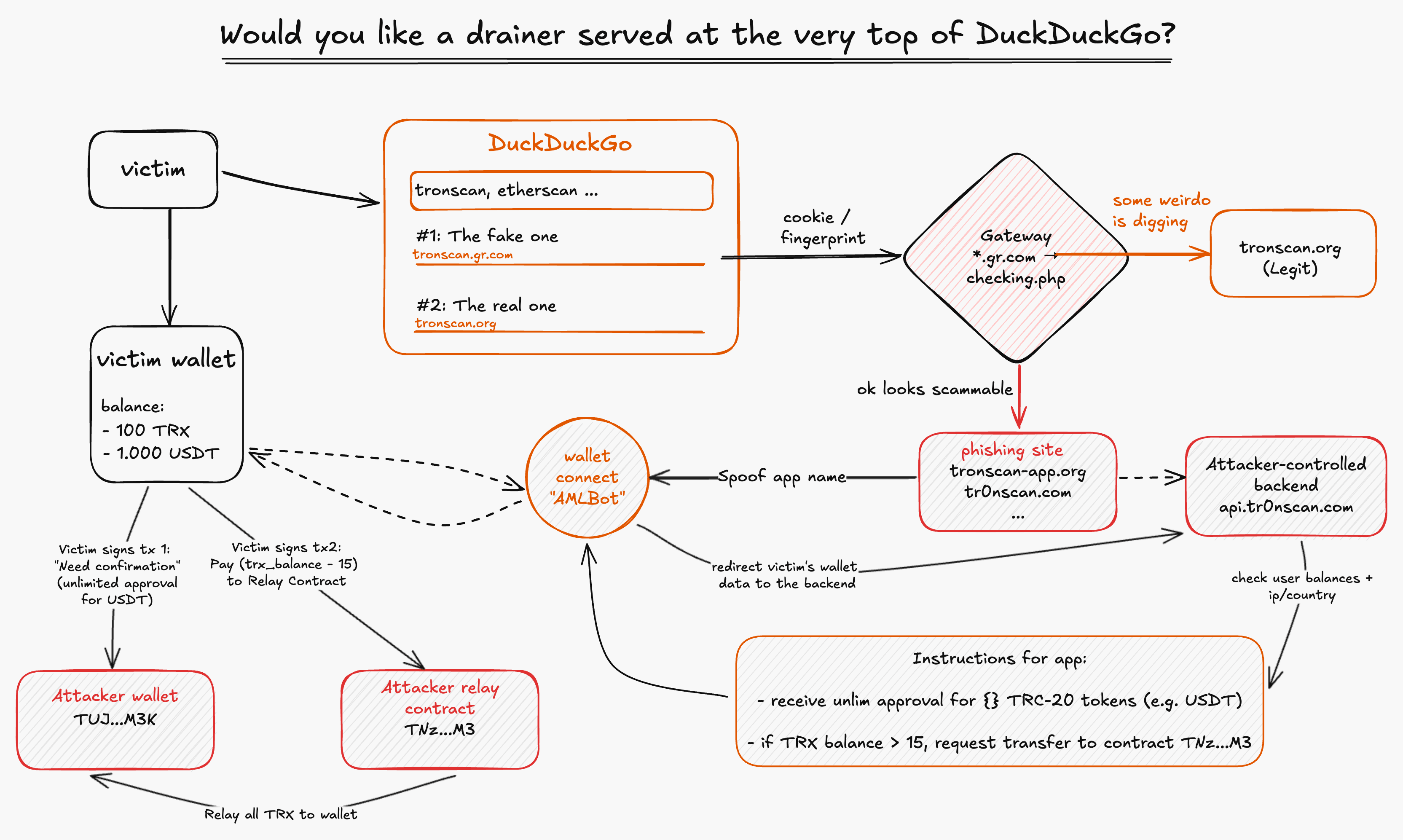
I pictured the complete flow on this diagram below:
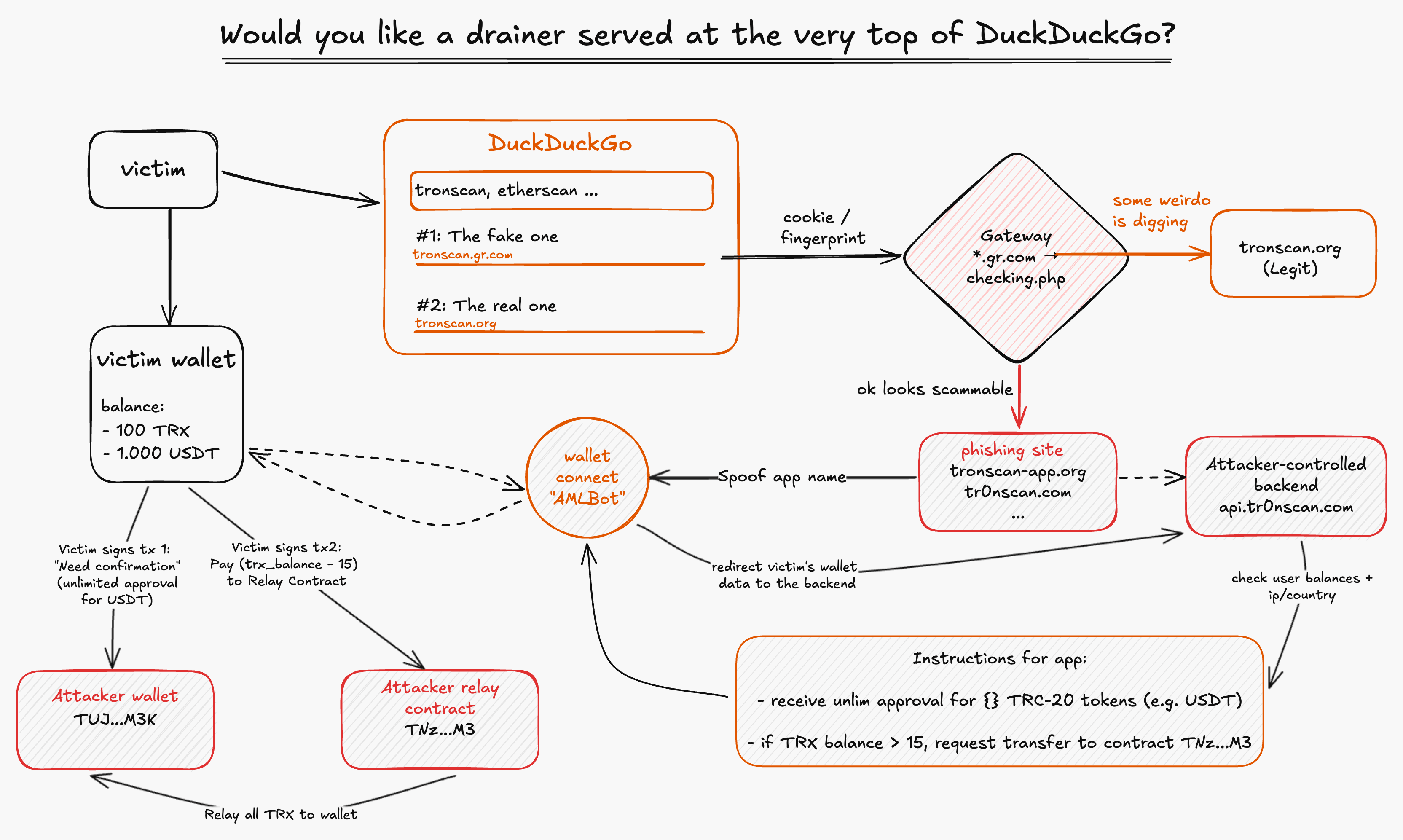
A couple interesting details:
- The transaction requests are generated by the server based on user balances -
inceaseApprovalto attacker wallet for each TRC-20 token.
When a tx is successfully signed by the victim, the app reports to the backendapi.tr0nscan.comand the backend initiates a transfer of approved tokens. - Since TRX can't be approved / delegated, the app checks if user TRX balance is bigger than 15 TRX, then creates a tx with the
Claimfunction of an attacker-controlled contract (which is just a name placeholder for a simple payable function) that transfers user TRX balance - 15 (to leave overhead for gas) to the attacker, using the contract as a relay / cloak. - The code includes hardcoded attacker wallet and contract addresses + an unused contract address
TY8hS9RKzSyMKKUqJABwRdKxpczjjLm6Udwhich has exactly the same code as the relay contract in use.
Surprise-surprise, the deployer of this contract is the same attacker wallet (...M3K). - It also leaks
TRON_PRO_API_KEYandwc_projectId(Wallet Connect) that are used to initiate txs and utilise the legit WalletConnect popup.
These can be reported to Tronscan / Reown teams in order to get attacker accounts suspended (though it seems pretty useless).
Overall, this is not a sophisticated drainer, but it gets the job done judging by the transaction history: the deployer of the contract used for the TRX relay has received at least $15k some days after the contract was deployed.
The AML problem
Before wrapping up, I want to address one more thing that bugs me with these drainers: the inability of some (I believe all) KYT/AML tools to detect the illicit nature of the addresses that belong to the attacker.
I've been researching the KYT products and algorithms for the past 8 months, and while doing it I got access to 2 different providers.
I'm not going to name them here to avoid unnecessary brand call outs since I don't think that's important - any other provider would probably display similar results.
My first action after finding the hardcoded addresses in the drainer code was to check the contract code and then check the KYT risk scores for each EOA that either participated in TRX drains directly or deployed the mentioned contracts.
The contract(s) code is unverified, but if you decompile the bytecode or simply use the build-in functions of the explorer, you'll see a whole bunch of functions that don't have any actual logic under them - all of these are simply used to make the victim believe that they're signing something beneficial, like claiming rewards, updating security or whatever.
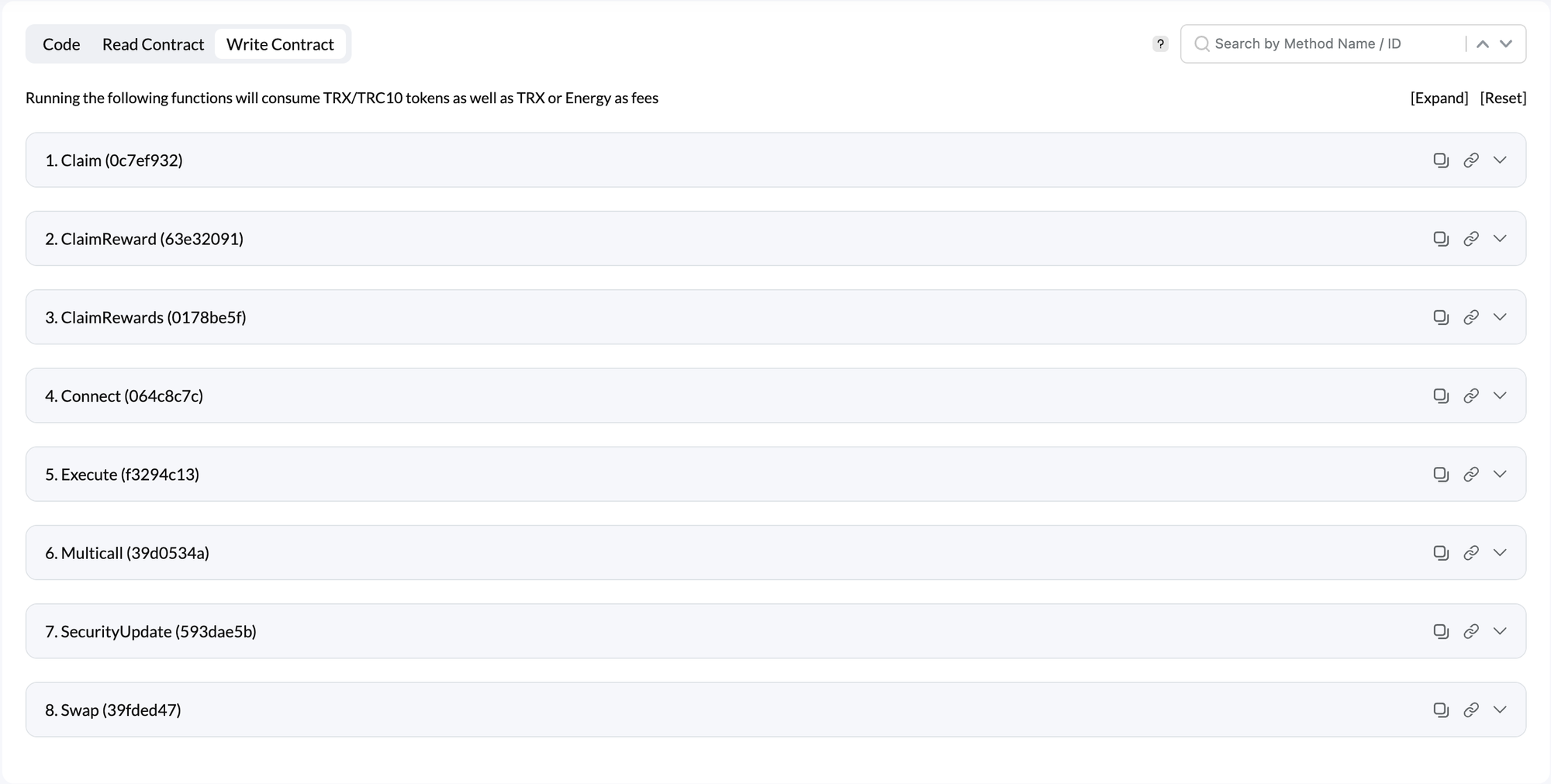
As you can probably guess, this is a huge red flag - and not so hard to detect by the tool capable of scanning transactions on a 6+ depth in both directions.
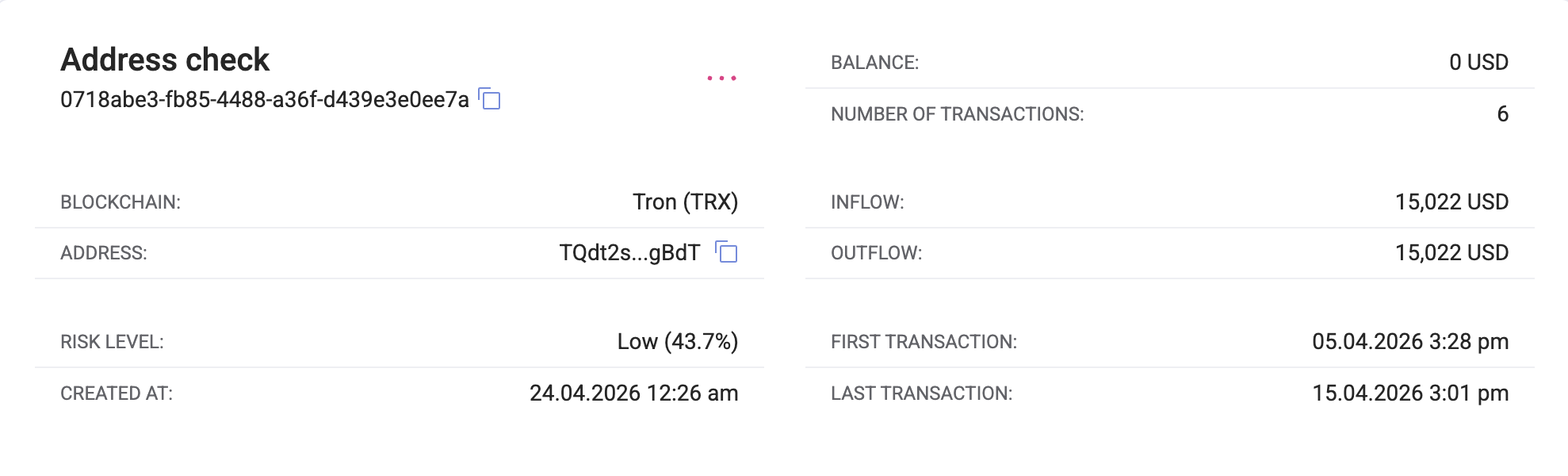
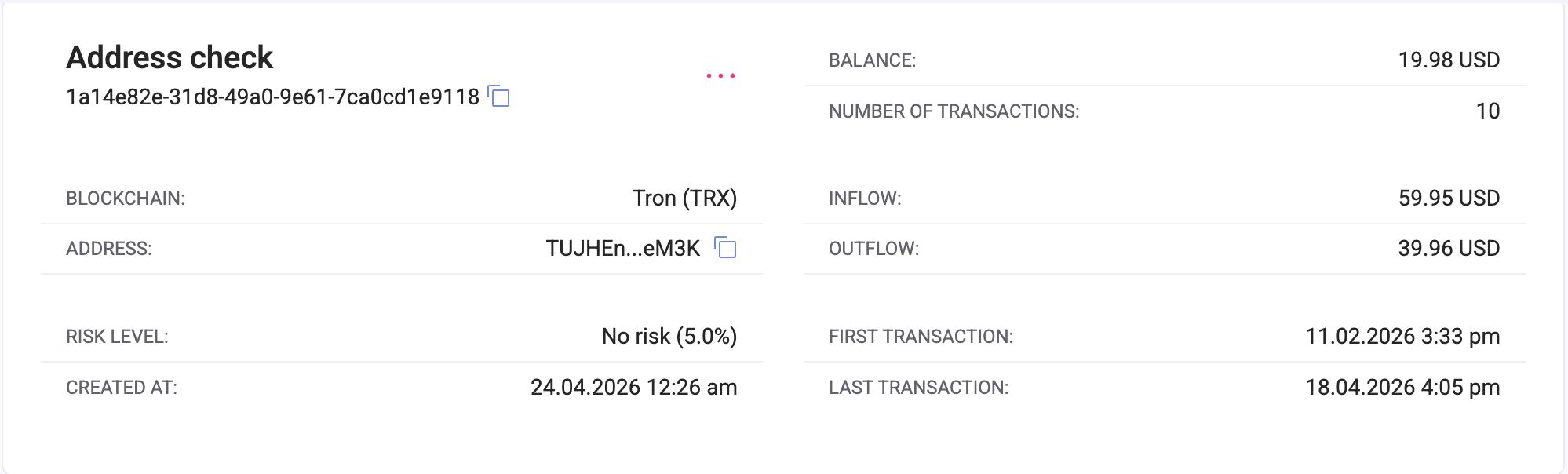
But checking both of the EOAs (the one that is hardcoded + the deployer of the hardcoded contract) in both of the KYT tools I had access to shows low to none risk - meaning that if the attacker would like to launder the stolen funds using some legit CEX like Binance later, there's no security measure to stop them, freeze their assets or report the suspicious tx / address to authorities.
For reference, here are the risk scoring results from those tools: TQdt2sfRz4pgkS2gcYwYoDdmju3fEzgBdT that deployed the TNzfYto3vBeG9X5j597DCEi37813wBzrM3 contract:

TUJHEnmHG4qJPUhk2mecZfv2edMwoweM3K EOA that receives the token approvals:

Look, I'm not saying that it's easy to decompile bytecode on the go and have some rule-based engine decide if the contract looks suspicious or not.
But with the whole crypto AML/KYT tools being closed-source, with a huge paywall in front of them and an algorithm kept in secret, it's alarming to see that the tools we're supposed to rely on and blindly trust when it comes to risk scoring are practically incapable of solving this puzzle (which is relatively simple compared to the SOTA drainers) and at least flagging them as suspicious to their clients.
The biggest problem with all of the web3 phishing and scams is that they're very hard to prevent in the permissionless world where you as a victim are allowed to do whatever you want and sign any transaction - which is good, and maybe the best thing about crypto in general.
And there's not much options left to the ones that want to protect potential victims and prevent the attackers from getting away with the stolen funds.
First is done by flagging the attacker-operated domains and adding them to wallet blocklists (which is what I did with the help of SEAL), but the getting away can only be prevented (or at least made harder) by the AML layer of the centralised / legit services.
When this layer fails to highlight cases like the ones above, the things we (the defenders) can do are limited to post-incident blocks and reports.
Which are not useless, don't get me wrong!
The reason I'm doing this, apart from loving the investigation process, is to raise awareness among the general public - people who might know little to none about operational security when it comes to their crypto, that get scammed and drained multiple times a day, 365 days a year.
It's just that seeing these script kiddies (and of course some real tough criminals sometimes) get away with these lazy scams just makes me sad.
The end
I don't want to summarise anything all again.
What I'll add is that both of these things (KYT limitations and super efficient #1 SEO that attackers buy or set up) seem interesting and important enough to research more and deeper.
Btw, if you are familiar with KYT / use it at your company / work for a company that builds KYT - please reach out to me: [email protected].
Probably will be back shortly with a new story or an update.
thanks for reading this to the end!